
An online course platform with graded assignments and a real gradebook
For academies and tutoring centers whose students do more than watch videos: they hand in work, get it back with a grade and comments, and end the course with a grade that adds up.
Start on the Free plan: it never expires and needs no credit card. Upgrade whenever you need more.
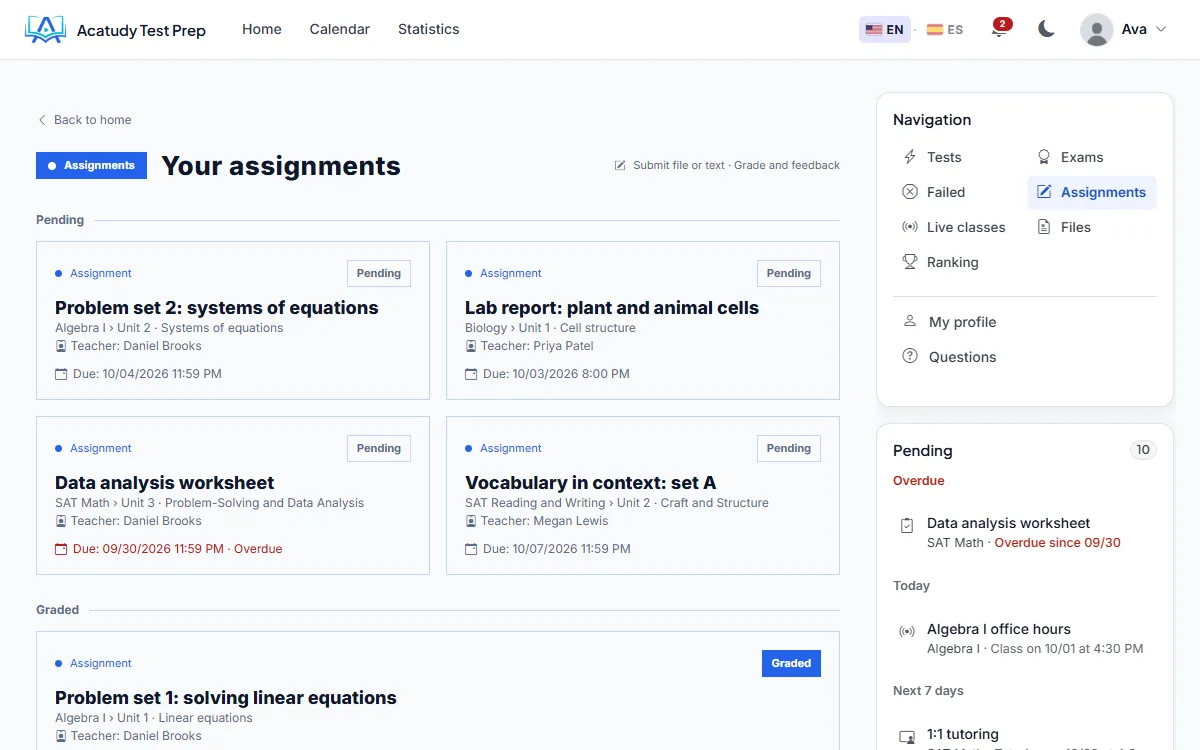
In short
In Acatudy, teachers post assignments with a due date, students submit a file or text, and teachers return a score or pass/fail with written feedback and a corrected file. Every grade lands in a gradebook that weights official exams, practice and assignments per subject, and can be exported to CSV or Excel.
Assignments that work like the ones in class
Dates that mean something
Each assignment has a start date and a due date. Late submissions are accepted and clearly flagged as late.
File or text submissions
Students upload a file, write their answer, or both. Uploads are checked by type and content before they are accepted.
Instructions with materials
Attach the files, required reading and videos students need for the task.
Reminders before the deadline
Students get a reminder two days before the due date and a last-call notice in the final hour.
Grading and feedback
Score or pass/fail
Grade each assignment with a numeric score (up to the maximum you set) or as pass/fail.
Written feedback and a corrected file
Add comments and upload a marked-up version of the student's work. You can reopen a submission so the student can try again.
One grading queue
Written answers from exams (short answer and essay questions) wait in a grading queue with your model answer next to them.
Students are told when it is ready
When a grade is published, the student is notified in the app and by email.
A gradebook that adds up
Each subject has a final grade built from three parts you weight yourself: official exams, practice and assignments. The default split is 70/20/10 and you can change it per subject, as long as it adds up to 100%.
Teachers see the gradebook of the subjects they teach; administrators see all of them. Export any gradebook to CSV or Excel for report cards or your own records.
Certificates when the work is done
On the Professional and Institutional plans you can issue PDF certificates from four designs in your colors: automatically when a student passes a chosen assignment or completes a subject, or by hand from the gradebook.
How it works
-
Create the assignment
Write the instructions, attach materials, set the dates and choose score or pass/fail.
-
Students submit
They upload a file or write their answer before the due date, with reminders along the way.
-
Grade with feedback
Score the work, add comments and return a corrected file.
-
Watch the final grade build up
The gradebook combines exams, practice and assignments with your weights.
Frequently asked questions
Which plans include assignments?
Assignments are included from the Basic plan. Certificates are included on Professional and Institutional.
Can I use rubrics?
There are no rubric tables yet. You grade with a score or pass/fail plus written feedback, and essay questions in exams can carry model-answer criteria for the grader.
Can teachers grade only their own subjects?
Yes. Teachers only see assignments, submissions and gradebooks of the subjects assigned to them.
What file types can students upload?
Common document, image, audio and video formats. Executables and macro-enabled Office files are blocked, and each file is checked by its real content, not only its name.
Assign, grade and track in one place
Create your academy and post your first graded assignment today.